
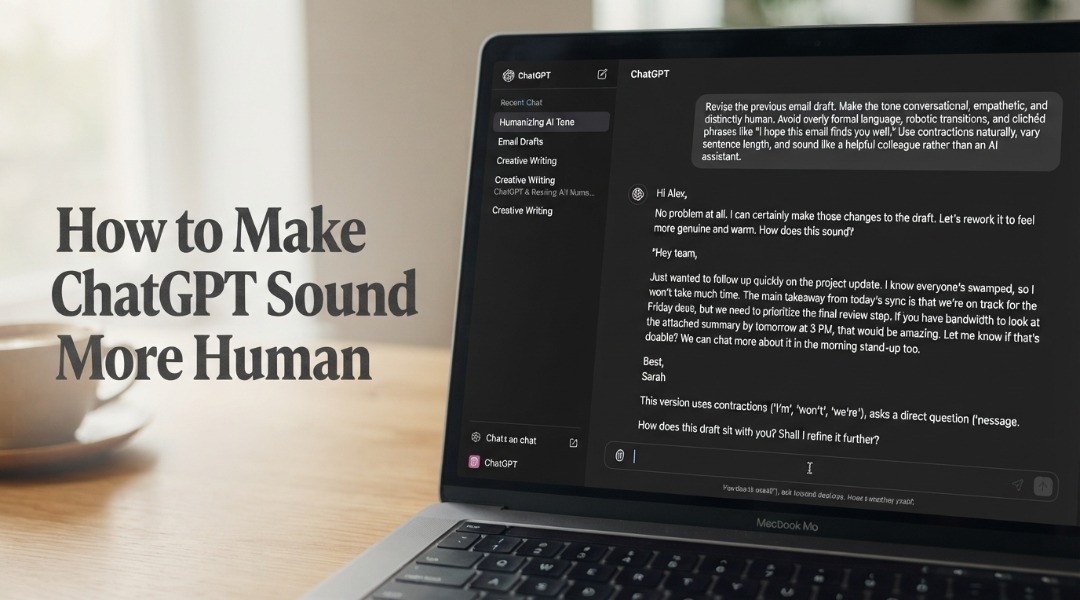

If you’ve ever pasted ChatGPT output into a document and immediately noticed it reads like a robot wrote it, you’re not alone. The problem isn’t the model’s capability; it’s the prompting.
Making ChatGPT sound more human comes down to giving the model clear constraints, strong examples, and then editing the draft with intent. OpenAI’s September 2026 release notes state that GPT-6 Instant now defaults to a more conversational personality that adapts tone contextually, making the output feel smoother right out of the gate.
Even with that upgrade, the text still depends heavily on prompt quality and your editing pass. The model gives you what you ask for.
Most people ask for too little.
The short version
- Give ChatGPT a specific role, audience, tone, and format before requesting a draft, anchoring the output from the start.
- Paste one sample of your own writing so the model can mirror your voice instead of defaulting to generic corporate language.
- Edit one issue at a time after generating, focusing on repetitive openings, stiff transitions, and overly formal phrasing.
Table of Contents
- What is Human-Sounding AI Content?
- Prerequisites: What You’ll Need
- Step 1: Define Your Role, Audience, and Purpose
- Step 2: Paste a Sample of Your Own Writing
- Step 3: Set Tone and Style Constraints
- Step 4: Edit One Issue at a Time
- Step 5: Strip Out AI Filler Words
- Troubleshooting: Common Mistakes
- People Also Ask
- What to Do Next
Key Point
- Strong examples beat vague prompts every single time.
- ChatGPT defaults to corporate stiffness unless you explicitly constrain it with tone, audience, and style rules.
- Editing one issue at a time (repetitive openings first, stiff transitions second) produces better results than trying to fix everything in one pass.
What is Human-Sounding AI Content?

Human-sounding AI content is text generated by a language model that reads as if a real person wrote it. It features varied sentence lengths, specific details, natural transitions, and a conversational tone, avoiding the predictable patterns that signal machine authorship.
According to a 2023 study by Herbold, Hautli-Janisz, and colleagues, large-scale comparisons of human-written and ChatGPT-generated essays reveal consistent differences in quality, structure, and style. The model tends toward uniform sentence lengths and generic phrasing. Humans, by contrast, break rhythm constantly.
A 2024 study by Breithaupt and colleagues published in Nature found that humans create more novelty than ChatGPT when asked to retell a story. This means the model leans heavily on predictable, safe phrasing rather than creative expression.
That is the core gap you need to close.
Prerequisites: What You’ll Need
You need a ChatGPT account (free or paid), a text editor, and one strong writing sample of your own work (roughly 200 to 400 words). No special tools or plugins are required. The process takes about 30 to 40 minutes per piece of content, depending on length.
Skill level: beginner to intermediate. If you can write a clear email, you can do this. The writing process itself benefits from understanding how to prompt for specific outputs, but even first-time users can achieve strong results by following these steps in order.
Step #1: Define Your Role, Audience, and Purpose
The first step is telling ChatGPT exactly who it’s writing as, who it’s writing for, and what the piece needs to accomplish. Without these three anchors, the model defaults to generic corporate language that sounds like every other AI-generated article online.
Open your ChatGPT session and start with a role definition. Write something like: “You are a B2B marketing manager writing for an audience of startup founders who have never used AI tools before. The goal is to explain three practical ways to save time with automation. Keep it under 800 words.”
Notice what happens when you include audience specifics: the vocabulary shifts, and the examples get more concrete. OpenAI’s own writing guidance recommends defining the situation, audience, and purpose before asking for the draft because the model performs better when it has a clear target.
What happens if you skip this step?
The output reads like a Wikipedia article: flat, neutral, and lifeless. You’ll spend twice as long editing because the draft started from the wrong place.
According to a 2023 study by Wolfram, ChatGPT works by predicting the next token based on its training data. This means it gravitates toward the most probable, most average phrasing unless you push it somewhere specific. Your role and audience definitions provide that push.
Step #2: Paste a Sample of Your Own Writing
Paste one example of your own writing (200 to 400 words) into the prompt and ask ChatGPT to match its tone, not its exact wording. This single technique produces more natural output than any other adjustment you can make.
Users consistently report that the best results come from strong examples, not vague prompts, because the model otherwise sounds generic and stiff. The sample gives ChatGPT a concrete voice to mirror. Pick something you’re proud of: a blog post intro, a newsletter section, or even a well-written email works.
The key phrase is “match the tone, not the wording.” If you say “write in this style,” ChatGPT may copy phrases verbatim. But if you say “analyze the tone of this sample and write in a matching voice,” you get something closer to your natural voice without plagiarizing.
Step #3: Set Tone and Style Constraints
After defining your role and providing a sample, add explicit constraints for tone, sentence length, paragraph structure, and banned words. Constraints force the model away from its default patterns and toward the specific style you want.
Write constraints like a style guide. Here’s what works:
- Tone: conversational, direct, slightly opinionated. No corporate speak.
- Sentences: mix short and long. Never write three consecutive sentences of similar length.
- Paragraphs: vary from one sentence to five sentences. Break the rhythm constantly.
- Banned words: delve, navigate, leverage, furthermore, moreover, today it’s worth noting.
Building AI content style guidelines like these before you generate content eliminates most generic output at the source. According to a 2025 study by Matsubara, ChatGPT can write letters in a specific person’s style when given enough context, but the differences between human and AI writing remain visible without explicit constraints. Constraints narrow that gap.
Does the new conversational personality in GPT-6 replace constraints?
No. OpenAI’s September 2026 update makes the default tone more conversational, but it doesn’t solve flat written output on its own. The text still depends on prompt quality and editing. Think of the personality update as a better starting point, not a replacement for constraints.
Step #4: Edit One Issue at a Time
Generate the draft, then edit it in focused passes rather than trying to fix everything side by side. User-focused guides from 2026 stress editing one issue at a time, especially repetitive openings, stiff transitions, and overly formal phrasing.
Start with openings. ChatGPT loves to start paragraphs with “Also,” “Plus,” or “Besides.” Scan the draft and cut every one of them. Replace them with direct subject-verb openers or conversational bridges like “That said,” or “Here’s the thing.”
Next, check transitions. The model uses mechanical connectors that feel like a textbook. Real writers bridge ideas with cause and effect (“because,” “so that,” “which means”) rather than signpost adverbs. Go through and rewrite each stiff transition.
Finally, fix overly formal phrasing. Change “work with” to “use.” Change “in order to” to “to.” Change “it is important to note that” to nothing; just delete it and state the point directly.
Time Spent on Each Editing Pass (minutes)
Step #5: Strip Out AI Filler Words
The final pass removes the specific words and phrases that most reliably signal AI authorship. These include explore, work through, rely on, work with, plus, besides, reliable, full, and phrases like “today ” or “overall.”
Run a find-and-replace pass for the most common offenders. Here’s a quick reference table:
| AI Filler Word | Human Alternative |
|---|---|
| delve | dig into, look at |
| leverage | use |
| use | use |
| navigate | handle, deal with |
| furthermore | (delete; just start the sentence) |
| moreover | (delete; split into two sentences) |
| robust | solid, strong |
| comprehensive | full, complete |
| today | (delete entirely) |
According to a 2025 study by Voss and Waring, human-AI interaction studies show that users notice when ChatGPT “doesn’t sound like it can have a conversation.” That is exactly what these filler words signal to readers. Stripping them out is the fastest way to close that gap.
Troubleshooting: Common Mistakes
The output still sounds robotic after following all five steps. This usually means your writing sample was too short or too formal. Try pasting a 400-word sample of casual writing, like a personal blog post or a newsletter, and regenerate the text.
The content sounds forced or try-hard after humanizing. You overcorrected. Adding slang or deliberate imperfections can sound forced if overused. Pull back on the casual language and focus on sentence variety and concrete details instead.
ChatGPT keeps using banned words despite your constraints. Add them as a numbered list at the end of your prompt with the instruction, “Do NOT use any of these words.” The model responds better to explicit negative constraints when they are listed separately from positive instructions.
The draft is too long or too short. Set an explicit word count in your prompt. “Write exactly 600 words” works better than “keep it brief.” Fixing AI-detected content often starts with getting the length right in the initial generation rather than cutting or padding afterward.
- Open a new ChatGPT session, Start fresh so prior context doesn’t bleed into your output.
- Paste your role and audience definition, Include reading level, word count target, and the specific reader you’re writing for.
- Insert your 300-word writing sample, Ask the model to analyze the tone first, then write in a matching voice.
- Add your style constraints and banned words list, Put these at the end of the prompt as explicit rules the model must follow.
People Also Ask
Can ChatGPT sound completely human?
No. According to a 2024 study by Siontis and colleagues, ChatGPT can produce convincingly human-like text but still exhibits patterns that reveal its machine origin, especially in longer pieces. The goal isn’t perfect mimicry; it’s producing text that reads naturally enough for readers to focus on the content, not the authorship.
What is the best prompt to make ChatGPT sound human?
The best prompt includes five elements: a specific role, a defined audience, a clear purpose, a writing sample, and explicit style constraints. OpenAI’s writing guidance confirms this structure. A prompt that says “Write a blog post about productivity” produces generic output. But a prompt that says “You are a productivity coach writing for remote workers who feel overwhelmed. Here’s a sample of my writing style. Match it. Write 500 words about managing email overload. Use contractions and short paragraphs” produces something usable.
Does GPT-6 sound more human automatically?
Partially. OpenAI’s September 2026 release notes confirm that GPT-6 Instant now defaults to a more conversational personality that adapts tone contextually. This makes raw output smoother than previous versions, but it doesn’t replace prompt engineering or editing. The personality upgrade raises the floor, not the ceiling.
How long does it take to humanize ChatGPT output?
About 30 to 40 minutes per piece of content if you follow these five steps. Prompt setup takes 10 minutes, generation takes 2 minutes, and editing takes 20 to 30 minutes, depending on length and the number of passes you need.
What to Do Next
Start with one piece of content. Pick something short, like a social media post or a blog intro, and run through all five steps. Compare the output to what you’d normally get from a basic prompt. The difference will be immediate.
Once you’re comfortable with the process, build a reusable prompt template that includes your role, audience, constraints, and banned words list. Save it in a notes app and paste it at the start of every ChatGPT session. This turns a 40-minute process into a 5-minute one because the setup work is already done.
The question of whether AI will replace writers comes up constantly. It won’t. Writers who can steer AI output toward natural, human-sounding content will replace those who can’t. That’s the real skill here: not writing from scratch, not blindly pasting AI output, but knowing how to make ChatGPT sound more human and editing with intent.